HR Software for Remote Teams: 7 Key Use Cases
HR software for remote teams does more than track PTO. See 7 use cases that fix onboarding, payroll, compliance, and engagement across distributed staff.

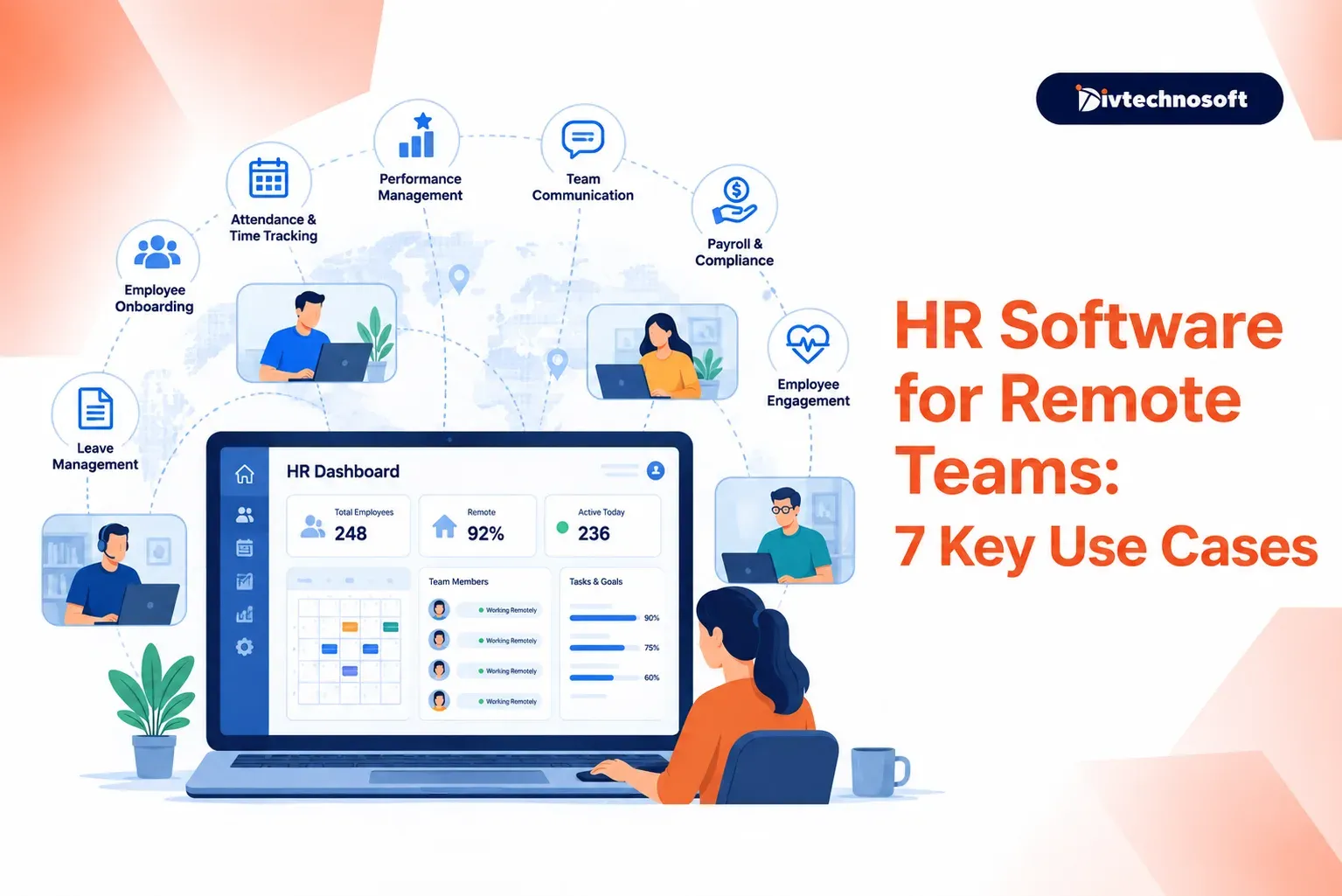
Every HR software demo opens the same way. A slick dashboard. An AI recruiter that ranks candidates in seconds. A chatbot that answers benefits questions at midnight. It looks like the future of work.
Then a new hire in Ohio gets paid as if they live in Texas. Their laptop ships to the wrong address. They spend day one hunting for the PTO policy in an old Slack thread.
That gap is the real story of HR software for remote teams. The value is rarely in the flashy features. It sits in the boring plumbing: onboarding, payroll across state lines, and records that stay accurate when no one shares an office.
This guide skips the hype. Below are seven use cases where the right system pays for itself, plus the places these tools quietly fail. If you run a distributed team, or plan to build software for one, these are the problems worth solving first.
Why remote teams break the old HR playbook
Remote work is no longer an experiment. Gallup reports that 52% of remote-capable US employees now work hybrid and 27% work fully remote, leaving just 21% fully on-site. Roughly 32.6 million Americans work remotely today.
An office hides a lot of HR gaps. People overhear the policy. They grab a manager in the hallway. A distributed team has none of that. Every process must be written down and automated, or it breaks.
The cost shows up first in onboarding. Enboarder found that 42% of fully remote new hires call their onboarding "truly terrible." Remote hires are nearly 50% more likely to say company culture was shown poorly. And 20% of new hires leave within the first 90 days.
So the case for HR software for remote teams is not about looking modern. It is about closing gaps that an office used to cover for free.
The numbers behind the tools
The market is large and still growing. The HR technology market reached about $47 billion in 2026 and is projected to nearly double by the mid-2030s.
Adoption is close to universal. Around 85% of organizations use HR technology, and payroll systems reach about 93% of them.
Here is the uncomfortable part. Only about 35% of HR leaders say their HR tech approach actually helps business goals. Companies own powerful tools and use a fraction of them. Many buy new platforms before fixing the data and integrations in the ones they already have.
That gap between spend and value is the theme of everything below. The use cases matter. Buying software does not guarantee you get them.
7 use cases for HR software in remote teams
1. New hire onboarding and access setup
A remote hire cannot walk to IT for a laptop or ask a deskmate where the handbook lives. If onboarding is not automated, their first week is confusion.
Good software runs a preboarding and day-one flow before the start date. It triggers equipment shipping, creates accounts, assigns a buddy, and pushes clear 30-60-90 day goals.
Strong onboarding raises new-hire retention by 82% and productivity by over 70%, per Brandon Hall Group. Structure drives that result, not budget.
The weak tools just collect e-signatures. The strong ones provision access automatically and connect to IT, so hardware and logins are ready on day one. Do not confuse paperwork with onboarding. Onboarding often skews to compliance forms while culture and connection get skipped, and remote hires feel that absence most.
2. Multi-state and cross-border payroll
The moment your team spans states or countries, payroll turns into a legal minefield. Each work location can trigger its own tax and filing rules.
The stakes are real. Multi-state payroll errors carry penalties of up to 5% per month, and the average cost of payroll noncompliance now tops $845 per employee each year. Cross-border remote work can create withholding duties after as few as 30 days in some places.
Any tool calculates taxes in a clean demo. The real test is what happens when an employee moves. Good systems track work location, update tax codes on their own, and support contractors and Employer of Record setups for countries where you have no legal entity.
Vendors love to claim "global payroll." Ask for audit trails and named in-country expertise. Automated systems without expert oversight get overtime and holiday math wrong on a regular basis.
3. Time, attendance, and async work
You cannot see who is at their desk, and you should not try. Remote teams span time zones, and rigid clock-in tools fight the whole model.
Good software tracks hours where the law requires it, manages PTO and leave, and respects asynchronous work instead of policing screens.
Compliance matters here too. Restored overtime thresholds and shifting state rules mean hours must be recorded correctly, even for salaried staff who newly qualify.
The best tools support flexible schedules and self-service PTO without forcing everyone into one zone. Avoid surveillance-style monitoring. It erodes the trust that makes remote work productive. Remote workers already report higher trust in leadership than on-site peers do, so do not spend that goodwill on screenshots.
4. Self-service and instant policy answers
In an office, questions get answered in passing. Remotely, they pile into HR inboxes and stall.
An AI assistant or a solid knowledge base lets employees get answers on demand: a PTO balance, a benefits detail, or how to update direct deposit.
This frees HR from repetitive tickets and gives distributed staff fast, consistent help across Slack, Teams, or the web. Companies that deploy it well see large drops in routine HR requests.
A good system pulls from your real handbook, answers in multiple languages, and can act, such as filing a leave request, not just link a PDF. One warning: a chatbot on top of outdated documents spreads wrong answers faster. Fix your knowledge base first.
5. Performance reviews and continuous feedback
Remote managers lose the casual read on how someone is doing. A single annual review misses too much.
A well-built talent management system makes performance a continuous loop: regular check-ins, goal tracking, and feedback tied to projects rather than one yearly form.
Remote employees want a visible path forward. Without one, disengagement and turnover creep in quietly.
Lightweight, frequent tools beat heavy annual systems. Look for goal alignment and 360 feedback that fires after milestones. Remember that more forms is not more feedback. If the process feels like admin, managers skip it and employees tune out.
6. Recognition, engagement, and wellbeing
Connection does not happen by accident on a remote team. Culture has to be built on purpose.
Software supports recognition, pulse surveys, and wellbeing programs that give distributed people a sense of belonging.
Flexibility keeps people. SHRM reports that 79% of fully remote and 73% of hybrid workers say their arrangement is a main reason they stay. But flexibility alone does not build a team. Recognition and steady check-ins do.
Good tools surface real sentiment and skills gaps from survey and support data, so you act on evidence. A survey you never act on is worse than no survey. It tells people their input goes nowhere.
7. People analytics and workforce planning
With no hallway to sense the mood, leaders fly blind. Spreadsheets scattered across tools hide the truth.
People analytics pulls headcount, turnover, cost, and engagement into one view. It supports hiring plans and budget calls.
The HR analytics segment grows more than 10% a year for a reason. Distributed teams need data to replace the instinct an office used to provide.
Analytics is only as good as the systems feeding it. Dashboards built on messy data produce confident, wrong answers. Fix data quality before you chase predictive features.
Where HR software for remote teams fails
Most failures are not about features. They are about the gaps between tools and the people using them.
Integration is the first gap. Companies buy point solutions for payroll, onboarding, and engagement, then find the data does not flow. Employees re-enter the same details. Records drift out of sync. This is why so many teams own tools that never deliver.
The human factor is the second gap. A platform cannot fix a manager who never checks in. Software can prompt a 30-day review; it cannot care about the person. Onboarding data proves the point: helpful software lifts outcomes sharply, but only when someone owns the process.
The third gap is buying before fixing. Many firms add a shiny AI layer on top of broken data and stale policies. The result is faster wrong answers. That is the real reason only about a third of leaders say their HR tech serves business goals.
The lesson is simple. Pick tools that connect, clean the data first, and keep a human accountable for the outcome.
Build or buy for your remote team
Off-the-shelf platforms cover common needs well. Yet many companies hit limits: a workflow the vendor will not support, an integration that does not exist, or fees and lock-in that grow with headcount.
That is when a custom or hybrid build makes sense. A tailored HR tool can fit your exact onboarding flow, connect your real systems, and give you full ownership of the code and data.
If you are weighing that path, start small and validate. A focusedMVP build lets you test one high-value workflow, such as remote onboarding, before you commit to a full platform. From there you canscale it as your team grows. Our team buildscustom SaaS and AI tools for exactly this kind of problem.
Remote work is not going back in the box. The companies that win will not be the ones with the most HR features. They will be the ones whose tools quietly handle the boring, critical work. If you want software that fits your distributed team instead of fighting it, let's talk about a custom HR solution.