How Much to Launch a Flutter Mobile App from a Template?
Learn the real cost to launch a Flutter app from a template. Get clear pricing for templates, custom dev work, app store fees, and ongoing maintenance.

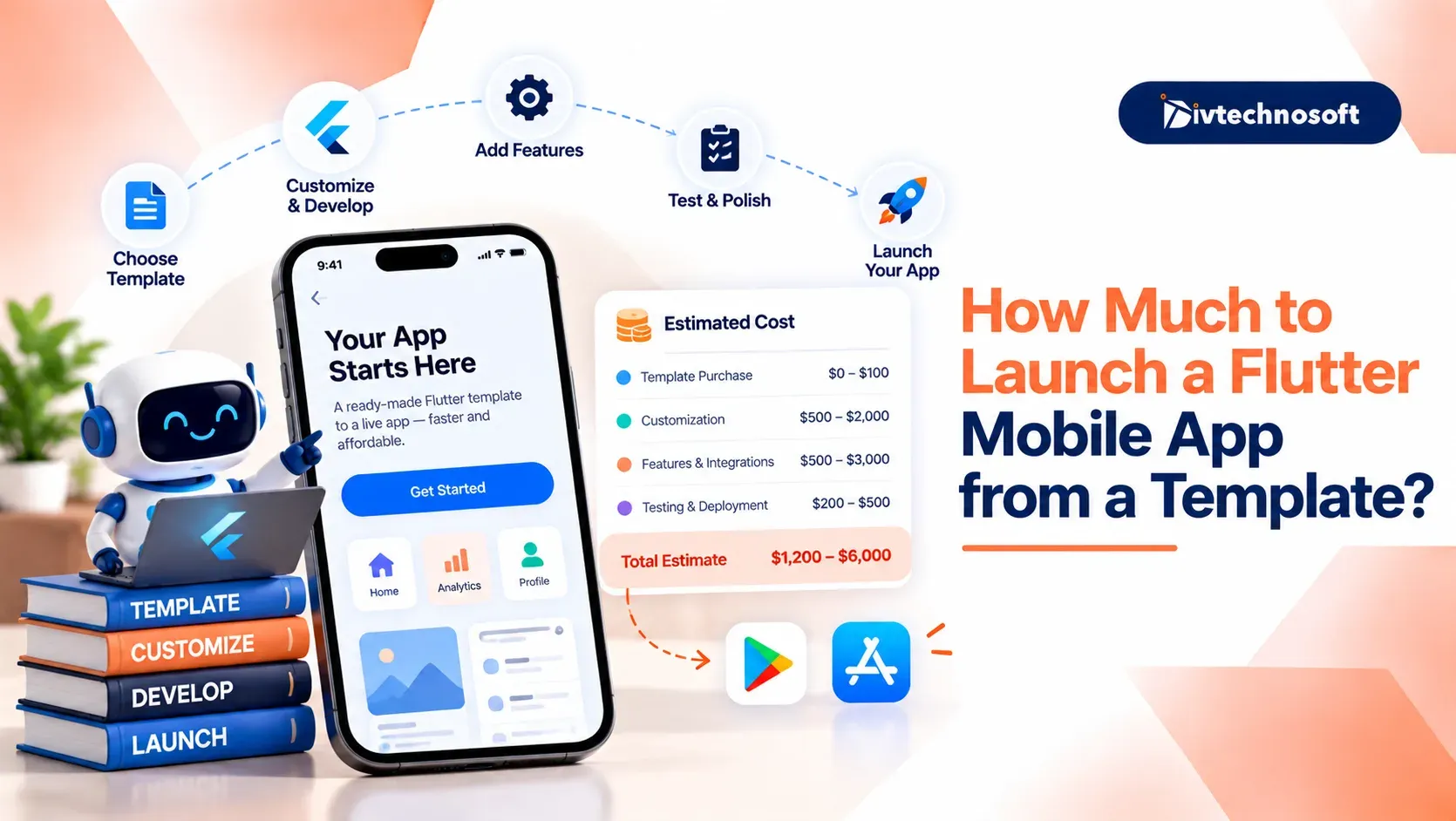
When asking how much it costs to build a Flutter app, starting with a template costs less than building from scratch, but the template is only the starting point. You also need to budget for customization, development, testing, app store fees, and ongoing maintenance.
This guide breaks down the costs to help you plan your app launch budget.
Template vs. Custom Build - Difference
The cost depends on whether you start with a template or build the app from scratch, but you still need to budget for customization, testing, and publishing.
Quick Comparison
Feature | Template Build | Custom Build |
|---|---|---|
Cost | ||
Build Time | 2 to 6 weeks | 3 to 6 months |
Code Quality | Depends on the author | Built to your exact standards |
Scaling Limits | Hard to add complex features | Easy to scale and update |
Why Templates Save Time and Money
Using a ready-made template cuts 60% to 70% of your early work and upfront costs. Custom apps need a designer for every screen and a coder for every line. A starter kit gives you finished screens and buttons on day one. Your team skips weeks of early design work and basic coding.
Trade-offs of Pre-built Code
Pre-made kits are fast, but they have real trade-offs. The app screens often look clean and modern. But the code inside can be hard to change.
Poor code or outdated technologies can make updates harder. Templates are useful for testing ideas, but custom Flutter app development services can help you build reliable code that's easier to maintain.
Purchase the Flutter Template
You can buy ready-made starter kits on sites like CodeCanyon and Envato. Most top Flutter templates cost between $30 and $150 for a single app license. This one-time fee gives you full access to the project code so you can begin work fast.
Pre-made layouts for shops, booking apps, or chats that save weeks of design work.
Light and dark color themes, mock forms, and working buttons right out of the box.
Old Flutter versions, broken add-ons, or templates with no updates in six months.
Always test the live demo and read buyer reviews before you spend your cash. Picking a well-supported template keeps your setup smooth and stops surprise bugs on new phones.
Customization and Feature Costs
Buying a template is just the first step. Your total Flutter app template customization cost usually runs between $2,000 and $5,000.
Your team must update brand visuals, add logos, choose brand colors, and set fonts. Next, connect databases like Firebase or Supabase to manage user accounts and cloud storage. Adding payment platforms like Stripe lets users pay directly through your app.
Testing on real Android and Apple devices helps avoid bugs and keeps your Flutter app template customization cost from rising unexpectedly.
Developer Hiring Expenses
Most founders need help to edit pre-made code. Your overall Flutter developer hiring cost depends on where your coder lives. It also depends on who you hire to do the work.
Hourly rates: Coders in India charge $18 to $45 per hour. Developers in Western markets charge $70 to $150 per hour.
Work hours: Most starter kits take 40 to 120 hours of work. This covers brand changes, database setup, and phone checks.
Solo vs team: A freelance coder costs less for quick changes. A dedicated agency gives you testers and managers to keep the build safe.
A solo coder keeps your hire Flutter developer cost low for small changes. But if your app takes live payments, a full team helps stop bugs and keeps your launch on track.
Publishing and Store Expenses
You need store accounts to share your app with users. Your fixed App Store and Play Store publishing fees go straight to Apple and Google. These are required setup costs for every mobile app.
Apple charges $99 every year to keep your app active on iPhones and iPads. In contrast, Google charges a one-time fee of $25 to register your Android developer account. You also need to prepare screen previews, app icons, and a link to your privacy rules.
Both platforms test your app before users can download it. Paying these app store and Play Store publishing fees and having your links ready helps you pass store reviews on your first try.
Ongoing Maintenance Costs
Launching your app is not a one-time spend. Most businesses budget 15% to 20% of their early build cost each year to keep their software active, secure, and running smoothly.
Cloud databases: Platforms like Firebase offer afree plan for small apps. As your app grows, you may need to pay for additional storage and usage.
Yearly system updates: Apple and Google launch new phone software each year. You must update your code to match new store rules and stop bugs.
Third-party add-ons: Extra things like SMS login texts, push alerts, and live maps charge small fees as more people use them.
Planning for these small monthly bills keeps your app alive. Regular updates stop crashes early and keep your users happy all year long.
Total Cost Breakdown
The total cost to launch an app from a template depends on how much custom work your app needs. Most teams fall into one of two clear spending tiers.
Budget build: This covers basic visual changes with a solo coder. It costs between $1,500 and $3,000.
Mid-tier build: This includes custom data, payments, and agency review. It runs between $3,500 and $8,000.
Step | What You Pay | Details |
|---|---|---|
App Template | One-time code license fee | |
Custom Setup | Brand styling and backend data links | |
Store Accounts | Apple yearly fee plus Google one-time fee | |
App Testing | Bug checks on real phones | |
Total Launch | Ready for store downloads |
Planning for these costs early keeps your budget on track. It helps you launch your app on time and avoids surprise bills along the way.
Choose the Right Path
Your choice comes down to your launch goals. A starter kit is best for testing an idea fast on a tight budget. Custom code is better when you need private workflows and unique designs.
Divtechnosoft helps you launch fast without bad code. We provide MVP development services to check your starter kit. We connect your data, test the app on real phones, and handle store reviews.
Planning the cost to launch an app from a template gives you clarity on every setup, testing, and store fee. With a clear plan, you can launch your app with total confidence.