HR Management Software Development - Everything to Know
Explore the essentials of HR management software development. Learn what features matter, how to avoid bloated systems, and how to build an HRMS.

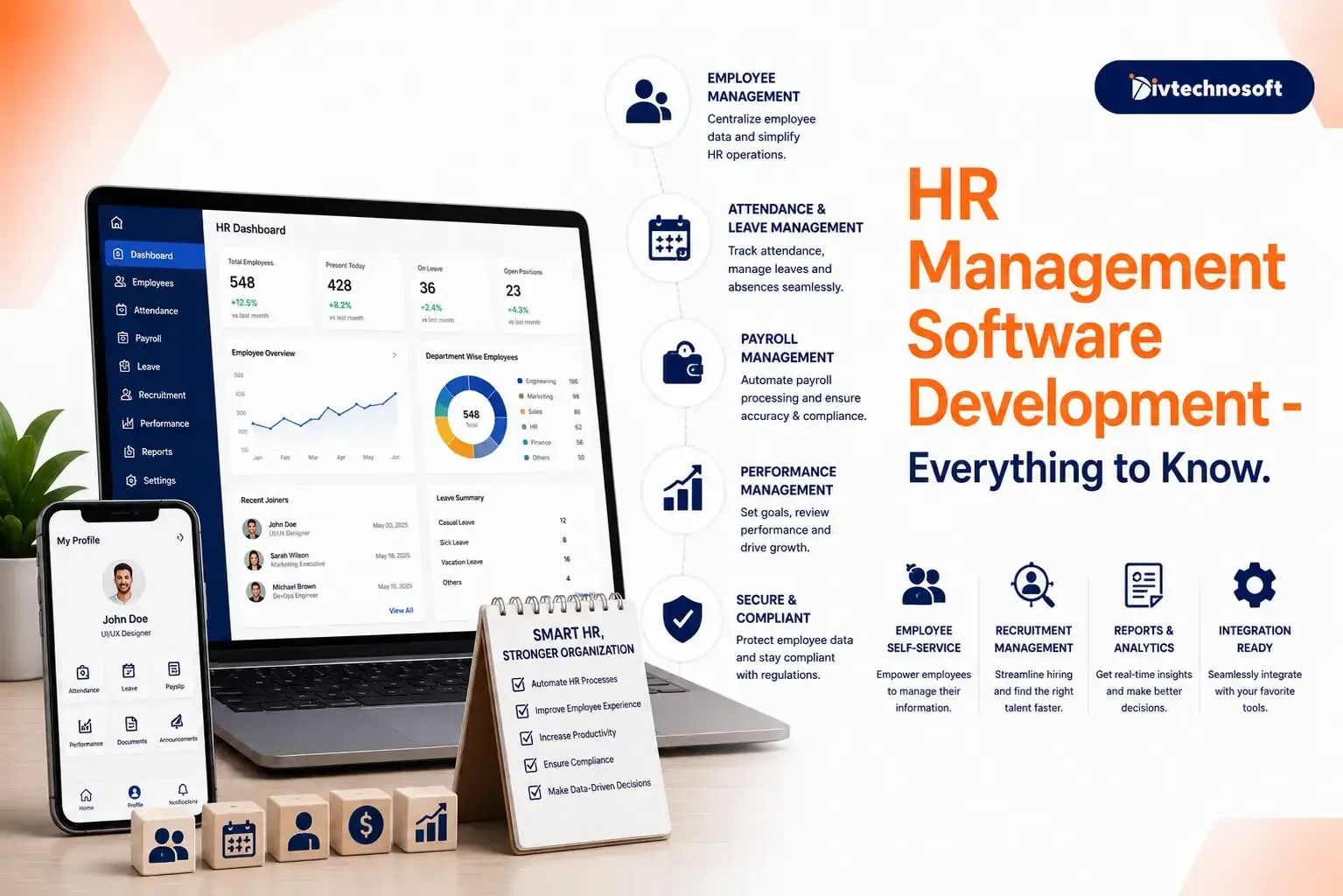
Running a business with manual spreadsheets and random email threads is exhausting. When you rely on a single HR manager or a tiny administrative team to handle attendance, onboarding, performance tracking, and payroll, things inevitably fall through the cracks.
Eventually, every growing company reaches a breaking point where they need a Human Resource Management System (HRMS). But the software market is crowded. From massive platforms like Rippling and BambooHR to niche tools like Gusto or HiBob, the options are overwhelming.
If you are looking to build a custom HRMS or you are trying to understand what makes a successful HR platform tick, you need to understand the realities of everyday HR operations.
This guide breaks down everything you need to know about HR management software development, drawing directly from the experiences of real business owners and HR professionals.
The Number One Rule: Software Does Not Fix Bad Management
Before diving into features and code, you must understand a fundamental truth: software cannot fix broken policies.
If a company has random rules, disorganized workflows, or managers who manually log hours incorrectly, a new HRMS will just digitize that chaos. Before a company can successfully adopt an HR platform, it must audit its internal processes.
When developing HR software, the goal is not to invent complex new workflows. The goal is to build a system that supports clear, pre-existing policies and automates the repetitive tasks that drain a small HR team's capacity.
Features Every HRMS Must Have
When developing an HRMS, especially for small to mid-sized businesses with teams of one, simplicity and core functionality beat bloated feature sets every time.
1. Seamless Onboarding
A messy onboarding process sets a terrible tone for new hires. A good HRMS digitizes the entire onboarding workflow. It should allow HR teams to collect documents, assign training tasks, and integrate new employees into the company directory automatically.
2. Time and Attendance Tracking
For contracting businesses or companies with hourly workers, precise time tracking is critical. The system must capture clock-ins and clock-outs reliably. Advanced systems, like those used by field contractors, even incorporate GPS geofencing so workers can only clock in when they are actually on the job site.
3. Deep Payroll Integration
HR and payroll are two sides of the same coin. An effective HRMS must either have a built-in payroll engine (like Rippling) or integrate flawlessly with external payroll providers. When attendance data syncs directly to payroll, it eliminates hours of manual data entry and drastically reduces mathematical errors.
4. Performance Tracking
Performance management shouldn't feel like a heavy burden. The software should handle regular reviews, goal tracking, and 360-degree feedback loops naturally. However, if a system tries to do too much, performance tracking often becomes mediocre. Many companies prefer their core HRMS to integrate with specialized performance tools via API rather than relying on a clunky, built-in module.
Read our case study of HR and workforce management system developed for the Plus Office.
The Problem with Too Many Features
One of the most common complaints about enterprise HR software is the steep learning curve. Platforms that try to do everything- HR, payroll, IT management, benefits, and expense tracking, can quickly overwhelm a one-person HR team.
When an HR manager is faced with a massive dashboard full of features they don't need, the software becomes a hindrance rather than a help. Furthermore, enterprise platforms often use an add-on pricing model, where costs stack up rapidly as you unlock new modules.
The Solution: Modular Development
If you are developing a custom HRMS, take a modular approach. Build the absolute essentials first: employee profiles, attendance, and basic leave approvals.
By launching a lean version of the software, you can solve the immediate pain of manual tracking without overwhelming the user. If you are a founder building a new HR startup, utilizingMVP development services can help you deploy this core functionality quickly.
Once the core system is stable, you can track how users actually interact with the platform. You can learnhow to track user behavior on your MVP release to determine which advanced features, like complex performance metrics or IT provisioning, are actually worth building next.
HR Software Automations That Matter
The true value of an HRMS lies in automation. A small HR team does not need more features; they need fewer manual tasks.
When developing HR software, focus heavily on trigger-based automations:
Hourly Calculations: The system should automatically calculate total hours, overtime, and breaks based on the employee's logged time.
Compliance Alerts: The system should alert HR if an employee is missing mandatory certifications or if a contractor's paperwork is expiring.
Integration Syncs: When an employee updates their address in the HR portal, that data should automatically push to the integrated payroll and benefits systems without HR lifting a finger.
Real-World Examples of HRMS & What the Market Wants
Looking at what current businesses are requesting reveals exactly what a modern HRMS needs to succeed:
Contractors and Field Workers: Businesses with field crews want heavy automation and location tracking. They need a system that ensures timesheets are accurate and tied directly to specific job costs.
Lean HR Teams: Companies with a solo HR administrator want "HR-lite" options. They prefer platforms like BambooHR or Gusto that prioritize a clean, people-first interface over deep, complex IT integrations.
Global Teams: Companies hiring overseas need systems that handle global compliance and contracts, ensuring they don't accidentally violate foreign labor laws.
Start Building HRMS Today!
HR management software development is not about building the platform with the most buttons. It is about building a system that reduces friction, eliminates manual data entry, and gives small HR teams their time back.
Whether you are prioritizing deep payroll automation or a clean, simple onboarding experience, the software must adapt to the way a business actually runs.
If you are tired of patching together off-the-shelf software that doesn't fit your company's unique workflow, it is time to build a solution that does. We atDivtechnosoft specialize in custom software development. We build the HR management software that scales perfectly with your business, cutting out the bloat and delivering exactly what your team needs to succeed.