AI Use Cases in the Construction Industry
See where AI use cases in construction actually pay off, from takeoffs and safety to daily reporting, and how they fit Procore, Autodesk, and P6.

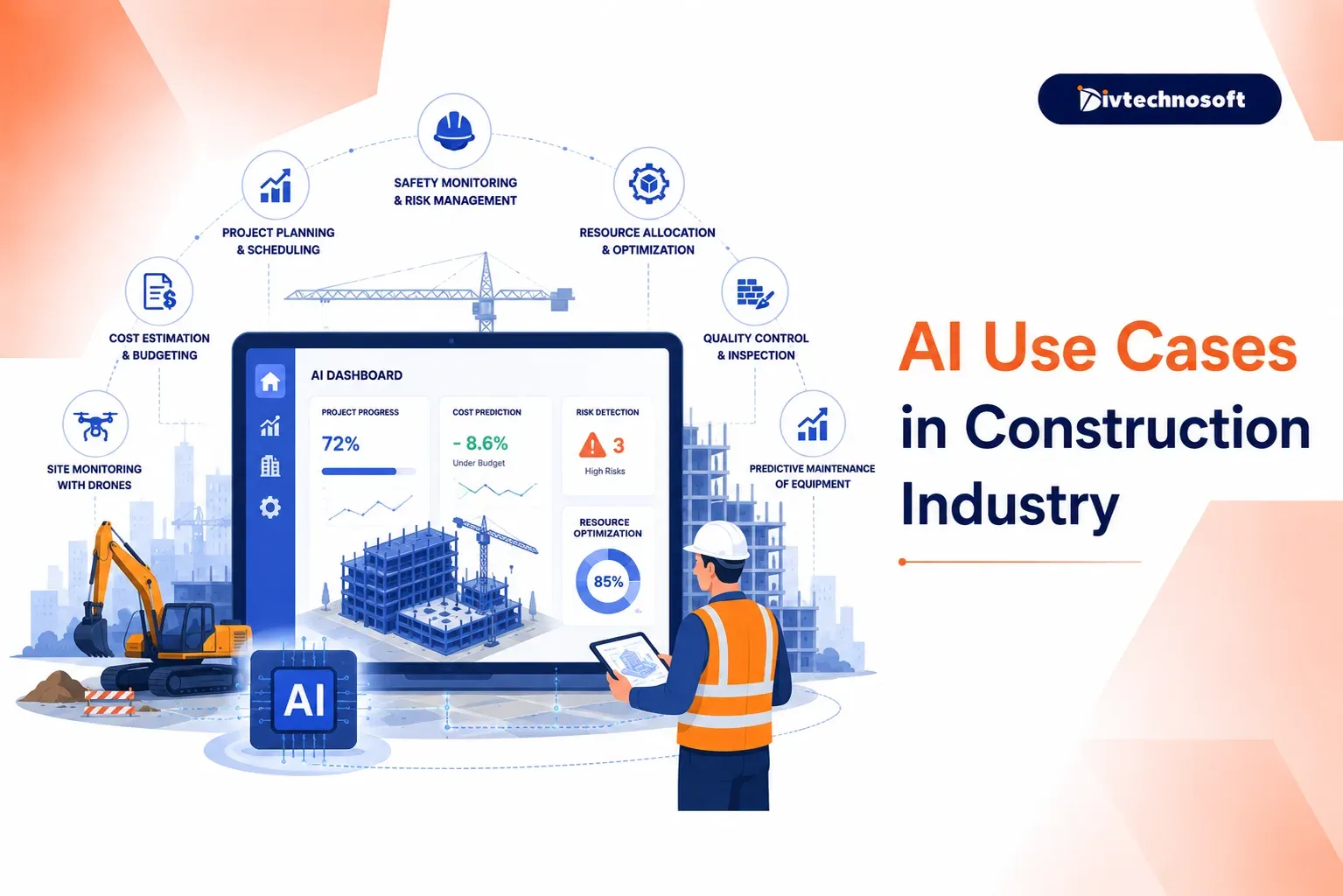
Delays, cost overruns, and safety incidents rarely stem from poor construction. They come from information moving more slowly than the work: progress reports written after dark, RFIs sitting in inboxes, rework discovered weeks after the mistake was made. This page walks through where AI genuinely helps at each phase of a project, and how it fits alongside the tools your teams already run.
Faster bidding and takeoffs
Progress tracking from site photos
Automated daily reporting
Safety monitoring and documentation
Where Construction Projects Actually Lose Time and Margin
A superintendent finishes a twelve-hour day. Then he sits in the truck and types a daily report from memory. Three weeks later, a project engineer finds that a wall poured in week two conflicts with a mechanical run nobody flagged. The RFI that would have caught it spent nine days waiting for a reply. None of this is unusual. 2017 McKinsey research found that large projects typically run 20 percent longer than scheduled and up to 80 percent over budget.
The delay, the rework, and the overrun share one cause. It is not poor workmanship. It is information lag. The data existed on site the whole time, in a photo, in someone's head, on a clipboard. It just reached the people who could act on it too late to matter. The office plans from one version of reality while the field builds another. The gap gets paid for in change orders.
Why AI Fits Construction Now, Not Five Years Ago
Construction data has always been rich and almost unreadable by software. Site conditions lived in photos nobody indexed. Specs and contracts ran to hundreds of dense pages. Equipment activity was something a foreman knew, not something a system recorded.
Two things changed. Computer vision now reads site photos and drone footage well enough to measure progress, count installed units, and spot missing PPE. Large language models read a 400-page spec or a subcontract the way an experienced project engineer does, in minutes. Add the telematics that modern equipment already broadcasts, and the raw material for automation finally exists in a form software can use.
There is a workforce reason too. Skilled labor is scarce and the trades are aging. AI does not replace crews you cannot hire. It removes the desk work that keeps your best people off the tools. The technology caught up to the jobsite, not the other way around
AI Use Cases Across the Construction Lifecycle
Where AI helps depends on the phase. These AI use cases in construction sit at different maturity levels, so each item below notes what it replaces and how proven it is today.
Preconstruction and Bidding
Preconstruction is where a win shows up fastest, because the work is document-heavy and repetitive.
Quantity takeoff from drawings reads plan sets and returns material quantities in hours, work that ties up an estimator for days. The estimator reviews output instead of measuring from scratch.
Estimate analysis compares a new bid against your own historical cost data and flags line items priced outside your normal range before the bid goes out.
Subcontractor prequalification pulls license status, insurance certificates, and past performance into one review instead of a folder of PDFs.
Tender summarization turns a 300-page RFP into a two-page brief of scope, exclusions, and unusual clauses, so the go or no-go call happens on day one, not day five.
Design and Planning
Generative design produces multiple layouts within your site constraints and budget, ranked so the team compares options instead of iterating on one.
Clash detection support goes past what BIM already flags. It prioritizes the clashes that threaten schedule and cost rather than listing all of them equally.
Schedule risk simulation runs your plan against weather, supplier lead times, and your own past performance to show which activities are most likely to slip.
On-Site Execution
This is where information lag hurts most, and where the payoff is largest.
Progress tracking from site photos and drone imagery compares what is built against the schedule, every day. The superintendent takes photos on the normal walk; the system does the comparison.
Automated daily reports assemble photos, weather, crew counts, and delivery logs into the report. The 7pm typing session becomes a review and a signature.
RFI drafting and routing turns a field note and a photo into a structured RFI, sent to the right respondent, with aging alerts so nothing sits for nine days.
Equipment utilization reads telematics to show which machines earn their rental cost and which sit idle burning it. The same telematics logic drives our fleet and logistics work.
Safety and Compliance
Computer vision on site cameras flags missing PPE, workers in exclusion zones, and unsafe proximity to running equipment, in time to act rather than in next month's incident review.
Incident report processing structures written reports into searchable records, so patterns across projects become visible.
Safety cameras raise a fair worker concern. Frame the tool as safety documentation, not surveillance, tell crews about it up front, and involve any union early. Adoption depends on trust as much as on the model.
The compliance stakes differ by market. In the USA, OSHA documentation is legal exposure. Inspection records, toolbox talks, and incident logs must be complete and retrievable, so an automated trail is protection as much as efficiency. In India, the issue is usually the opposite. Site records often live with one person who knows how that site keeps its files. The opportunity is standard documentation the whole company can rely on, project after project.
Back Office
Invoice and lien waiver processing extracts data from subcontractor invoices, matches them against contract values and prior payments, and flags discrepancies before payment. It pairs well with accounting systems like Sage or Viewpoint.
Contract clause review surfaces risk-shifting language in subcontracts, the indemnity and delay clauses missed at signing and remembered in disputes. Bluebeam markups feed the same review.
Payment application checks confirm that billed percentages match documented progress, which is exactly where photo-based tracking pays off twice.
Invoice matching runs deep enough that we cover it on its own page.
Extend Procore and Autodesk or Buy Standalone Tools
Most teams weighing AI already run Procore, Autodesk Construction Cloud, or Primavera P6. That reframes the question. It is rarely which AI tool to buy. It is whether to bolt a standalone tool next to your stack, or build a custom layer on top of it.
Factor | Standalone AI point tool | Custom layer on your existing stack |
|---|---|---|
Setup speed | Fast, works out of the box | Slower to start, built around your workflows |
Data flow | Another silo, another login for field crews | Reads from and writes back to Procore, Autodesk, or P6 |
Cost model | Per seat or per project, scales with headcount | One-time build plus maintenance, but no per-seat cost as crews grow |
Fit | Built for the average contractor | Built for how your projects actually run |
Ownership | Vendor owns the platform and your usage data | You own the code and the data |
The honest disqualifier: if you run standard workflows on one or two projects at a time, buy the point tool. A custom layer earns its cost when crews are large enough that per-seat pricing stings, when your workflows differ from the average contractor's, or when the value depends on data flowing between systems that do not talk to each other today.
Who this fits also varies by role. General contractors and specialty trades gain most from takeoffs and field reporting. Developers and owners gain from portfolio-level progress across several GCs. The right first use case is rarely the same for each.
How to Roll This Out on a Live Jobsite
Construction has no sandbox. Automation gets piloted on an active job with real deadlines. Start with one project and one workflow, usually daily reporting or photo-based progress tracking. Run it beside the existing process for one reporting cycle. Compare results. Only then expand.
The failure mode is not technical. It is field adoption. If superintendents will not use it, the system produces nothing. So it has to match how site work happens: photos and voice notes from a phone, offline capture that syncs later, and nothing that adds a form to an already long day. The AI use cases in construction worth funding first are the ones a superintendent will actually use.
On cost, think in two parts. A focused first build is a one-time cost, not a per-seat subscription that grows with headcount. It pays back when it removes hours of desk work per superintendent each week and catches one schedule slip early. We size that trade-off with you before anything gets built.
A short discovery phase through our Product Strategy Services confirms which workflow is worth automating first. We then deliver a working, testable version in 6 to 8 weeks through our MVP Development Services, with full code ownership from day one. Our Maintenance and Support keep integrations current as Procore and Autodesk update their APIs.
FAQ
How accurate is photo-based progress tracking?
Accurate enough to flag schedule variance early, not accurate enough to replace a walkthrough. It measures visible, countable work well: framing, drywall, unit installation. Concealed work and quality judgments still need human eyes. Treat it as an early warning system that tells you where to look, not a replacement for looking.
Does this replace our project engineers?
No. It removes the reporting and document-processing burden that eats their week. The judgment work, coordinating trades, resolving conflicts, managing the owner relationship, stays exactly where it is, with more time available for it.
How is data secured when multiple subcontractors work on the same project?
Role-based access from the start. A subcontractor sees their own scope, submittals, and payment applications, nothing else. The GC and owner see project-wide views. This is standard in how we structure multi-party platforms and gets defined during discovery, not patched in later.
What about remote sites with poor connectivity?
Field capture works offline. Photos, voice notes, and forms save locally and sync when the device finds a connection, so a site with no signal until the truck reaches the highway still produces a complete daily record.
Can this connect to our existing Procore or Autodesk setup?
Yes, and it should. Both platforms expose APIs, and the whole point of a custom layer is reading from and writing back to the system your teams already use rather than creating another login. P6 schedules integrate the same way.
Do we need drones to use progress tracking?
No. Drone imagery helps on large horizontal projects, but phone photos from a normal site walk are enough for most vertical construction. Start with what your supers already carry.
How long until we see a working version?
6 to 8 weeks for a focused build of your first workflow, tested on a live project. Expansion beyond that is phased based on what the pilot shows.
CTA
Walk Us Through One Project Workflow
The useful first step is small: a short session mapping one workflow, usually daily reporting or progress tracking, to see whether automation is worth it for how your projects run. If a point tool you can buy off the shelf already covers it, we will tell you so.