ERP Software Development: 2026 Full Guide
ERP software development guide for 2026: process, cost, modules, tech stack, and custom vs off-the-shelf, plus how to pick a dev partner.

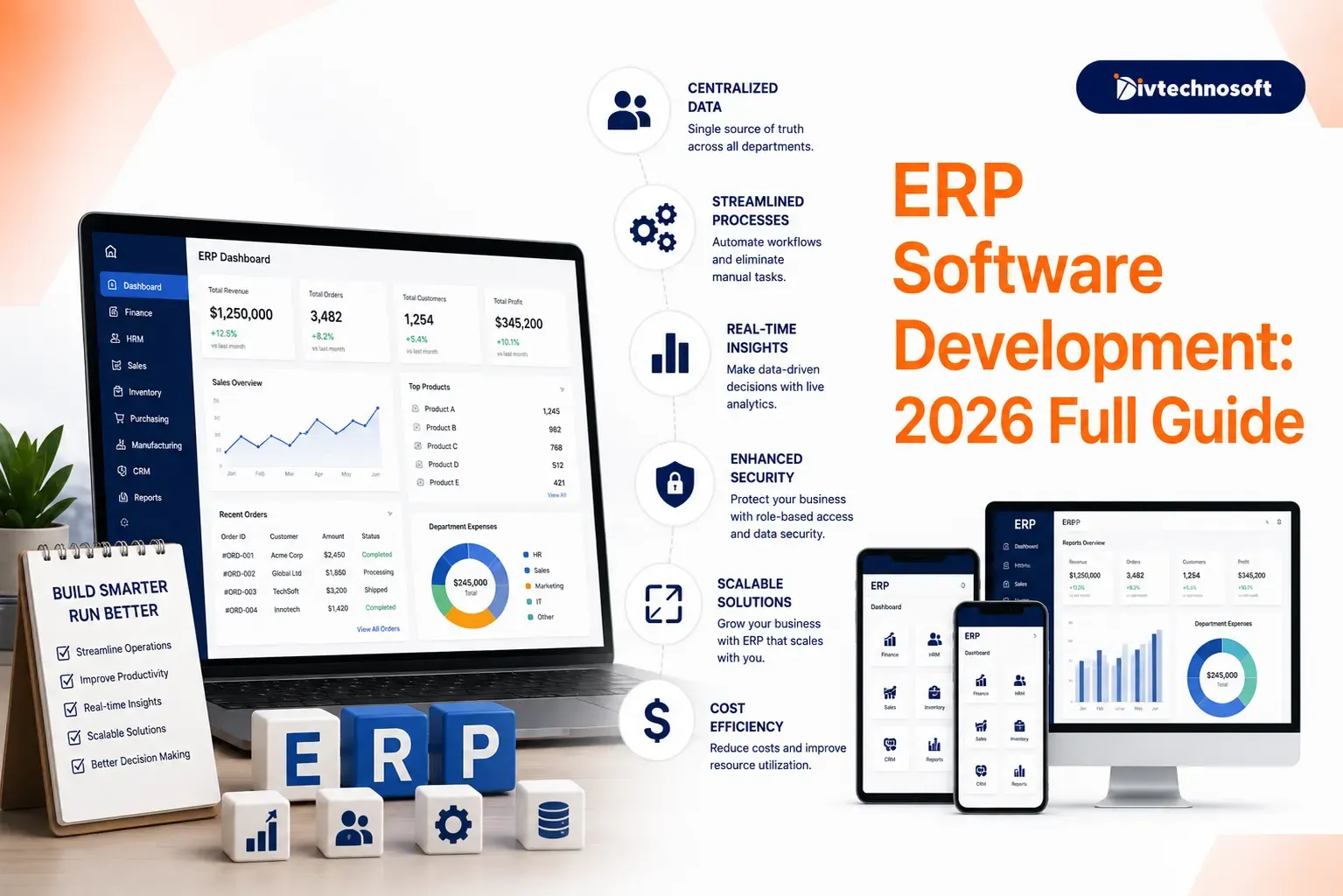
Many growing businesses outgrow spreadsheets and basic accounting tools. These tools cannot handle complex stock, production, or multi-team workflows. At that point, leaders look at ERP.
ERP software development is the work of building or tailoring a system that runs your whole business in one place. It links finance, inventory, sales, HR, and more. The market is large and still growing. Analysts expect global ERP software to reach $101 billion by 2026.
This explains what ERP development involves, the modules, the build process, and cost ranges. It also covers the tech stack, custom versus off-the-shelf, and how to pick a development partner.
Let us start with the basics.
What Is ERP Software Development
ERP stands for Enterprise Resource Planning. An ERP system joins many business functions into one shared database. Sales, stock, accounts, and HR all read and write the same data.
ERP software development is the process of building this system or shaping it to fit your needs. You can build a fully custom. You can also configure and extend an existing platform.
When a sale happens, stock drops, the ledger updates, and the dashboard refreshes at once. No double entry. No clashing spreadsheets.
Common ERP Uses and Examples
ERP fits almost any industry that runs on data and processes. Common users include:
Manufacturing: track raw materials, production stages, and finished goods.
Retail and ecommerce: link stores, warehouses, and online orders.
Healthcare: manage staff, supplies, billing, and compliance.
Construction: handle projects, costs, and equipment.
Distribution: control stock across many sites.
SAP and Oracle NetSuite serve large firms. Microsoft Dynamics suits Microsoft-based teams. Odoo and ERPNext are popular open-source options. A custom build is the path when these do not fit your workflow.
Key Benefits of ERP Software
A good ERP system pays back the effort. The main benefits include:
One source of truth across all teams.
Less manual work through automation.
Real-time data for faster decisions.
Fewer errors from double entry.
Clear reports for leaders and audits.
Room to scale as you grow.
Easier compliance with tax and labor rules.
The value shows up in time saved, and mistakes avoided, not just in software features.
Core ERP Modules
An ERP is a set of modules that share one database. You pick the ones you need.
Finance and accounting: ledger, invoices, payments, and tax.
Inventory: stock levels, valuation, and lot tracking.
Procurement: purchase orders and supplier records.
Sales and CRM: leads, quotes, orders, and customer history.
Manufacturing: bill of materials, work orders, and production.
Human resources: payroll, attendance, and records.
Supply chain: logistics and warehouse flow.
Reporting and BI: dashboards and analytics.
Start with core finance and inventory. Add the rest in phases. More modules mean more cost and time.
Custom vs Off-the-Shelf ERP
Not every company should build from scratch. The right path depends on your workflows and budget.
Factor | Off-the-shelf | Custom build |
|---|---|---|
Upfront cost | Lower | Higher |
Time to launch | Faster | Slower |
Fit to unique workflows | Limited | Exact |
Per user fees | Ongoing, can compound | None: you own it |
Best for | Standard processes | Specific needs and scale |
Ready-made wins when your processes are standard, and you want a fast start. A custom build wins when your workflows are unique or when you plan to scale hard. Many mid-market firms take a middle path and extend an open-source base like ERPNext.
The data here is blunt. About one in three small firms that ask about custom ERP should not build it. At a small scale, vendor software with light tweaks is cheaper and faster.
ERP Development Process
A custom ERP build follows clear stages. Skip anyone, and you raise risk and cost.
Discovery: map every workflow and edge case on paper first.
Architecture and design: plan the data model and system layers.
Module build: develop core modules one at a time.
Integration: connect CRM, payroll, ecommerce, and other tools.
Data migration: move clean data from old systems.
Testing: check logic, security, and load.
Deployment: launch in stages, not all at once.
Training and support: get users on board and fix friction.
Ship a lean first version, then grow it. If you want help to validate your core build, professionalMVP development services can lower risk at this early stage.
ERP Development Cost
Cost carries the most weight, so let us be specific. Custom ERP development in 2026 ranges widely. Industry guides place it from about $30,000 for a lean build to $500,000 or more for a complex one. Large enterprise systems can pass $1.5 million.
Project scope | Typical cost | Timeline |
|---|---|---|
Lean MVP or single module | $30,000 – $80,000 | 2 – 4 months |
Mid-market, several modules | $100,000 – $300,000 | 6 – 12 months |
Large enterprise, custom | $300,000 – $1,500,000+ | 12 – 24 months |
Vendor SaaS (per user/per month) | $20,000 – $50,000+ / year | Ongoing / variable |
These ranges come from documented 2026 benchmarks. Your real number depends on scope, integrations, and customization.
What Drives the Cost
Several factors move the price:
Number of modules: each one adds build and test time.
Integrations: each connected tool adds work and upkeep.
Users and roles: more users mean more access controls and infrastructure.
Data migration: messy or large data sets cost more to move.
Customization depth: unique logic costs more than standard features.
Deployment: cloud or on-premise changes the cost shape.
Cost Models
You will see a few common models:
Subscription (SaaS): monthly per-user fees. For small and mid-sized firms, cloud ERP often runs $70 to $150 per user.
One-time license: a large upfront fee plus annual maintenance.
Custom build: you pay for development, then own the system.
Long-Term Costs
The build is not the end. Annual maintenance often runs 18% to 25% of the build cost. Budget also for support, upgrades, and new features.
A typical custom build splits roughly like this. About half goes to the build. A fifth goes to integration. The rest covers data migration, training, and change management. Knowing this split helps you plan cash flow and avoid surprise bills.
Technology Stack Choices
Your stack shapes cost, speed, and scale. You do not have to build every layer from scratch.
Common custom-build choices:
Backend: Node.js, Python with Django, Java, or .NET.
Database: PostgreSQL or MariaDB for strong relational data.
Frontend: React or Vue for a fast, modern interface.
Cloud: AWS or Azure for hosting and scale.
Open-source frameworks give a big head start:
ERPNext: a full open-source ERP with finance, stock, and HR built in. No license fees.
Odoo: great for fast prototypes, but its community edition locks some modules behind paid tiers.
Tryton: a strict, logical Python model with clean accounting and inventory cores.
For lean prototypes, low-code tools like Supabase can speed early work. Match the stack to your team's skills and your scale plans.
Application Architecture
A custom ERP needs a clean technical base. Split the system into separate layers so it stays easy to scale and maintain.
A common pattern uses three layers:
Presentation layer: the user interface and input checks.
Business layer: your core rules and logic.
Data access layer: all database queries and storage.
Each layer talks only to the one next to it. This keeps the code clean and easy to fix.
Know the difference between logical and physical layers, too. Logical layers organize your code. Physical layers decide where that code runs, such as a local machine or a cloud server.
Database design is the most critical step. Normalize your tables early to avoid repeated data and corruption. Large ERP systems can grow past 2,600 tables, so plan relationships with care before you write code.
User Interface and Data Entry
Data entry must be fast and clean. If the tool is slow to use, staff will drop it.
Two controls matter most for desktop-style systems:
Tree views show nested data well, like a multi-level bill of materials. Users expand a parent node to see its parts.
Data grids handle bulk entry, like sales orders and invoices. Good grids support keyboard shortcuts for power users.
Build menus by code so you can show or hide options by role. A warehouse user should never see finance screens. Role-based access keeps data safe and screens simple.
Manufacturing and Inventory Logic
Manufacturing needs logic that basic bookkeeping tools lack. A simple accounting app cannot handle multi-stage production or batch tracking.
Two modules carry the load:
Bill of materials: exact table structures that track every part, subassembly, and finished good.
Inventory movement: real-time tracking of stock, scrap, waste, and lot-level history.
Done right, these give precise cost accounting. They also prevent surprise shortages on the shop floor.
Industry Realities and Risks
Building enterprise software is a big undertaking. Many leaders underrate the complexity.
Watch for these traps:
Scope creep: There is no truly simple ERP. The link between stock and accounting alone is complex. Map every stage on paper before you code.
Single-developer risk: never depend on one coder. If they leave, you inherit undocumented code and stalled work.
Weak documentation: Poor docs lead to fragile systems that can fail audits. Insist on clear standards from day one.
Plan for these risks early. They cost far less to prevent than to fix.
How to Choose an ERP Development Company
Most firms hire a partner for a build this size. The right team can make or break the project. Look for:
Domain experience: Have they built ERPs in your industry?
A real portfolio: ask for live examples and references.
Strong tech skills: the right stack and clean coding standards.
Clear communication: regular updates and honest timelines.
Security focus: role-based access, encryption, and compliance.
Post-launch support: upkeep, fixes, and new features.
Do not pick on price alone. A cheap build that fails costs more than a solid one. To compare your options, review thetop MVP development companies for a sense of what strong teams offer.
Final Words
Successful ERP software development needs deep planning and steady execution. Map your workflows first. Pick the right modules and stack. Budget for the full cost, not just the build.
Choose between custom and off-the-shelf with clear eyes. Lean on open-source where it fits. And vet your development partner with care.
A custom ERP is not a weekend project. Built well, it becomes the backbone of your business. If you want a proven team to bring your system to life, partner withDivtechnosoft to design, build, and scale your ERP.