Automated Reconciliation Software Use Cases
Automated reconciliation software use cases, from bank and gateway matching to intercompany. See how AI reconciliation fits your ERP and what to expect.

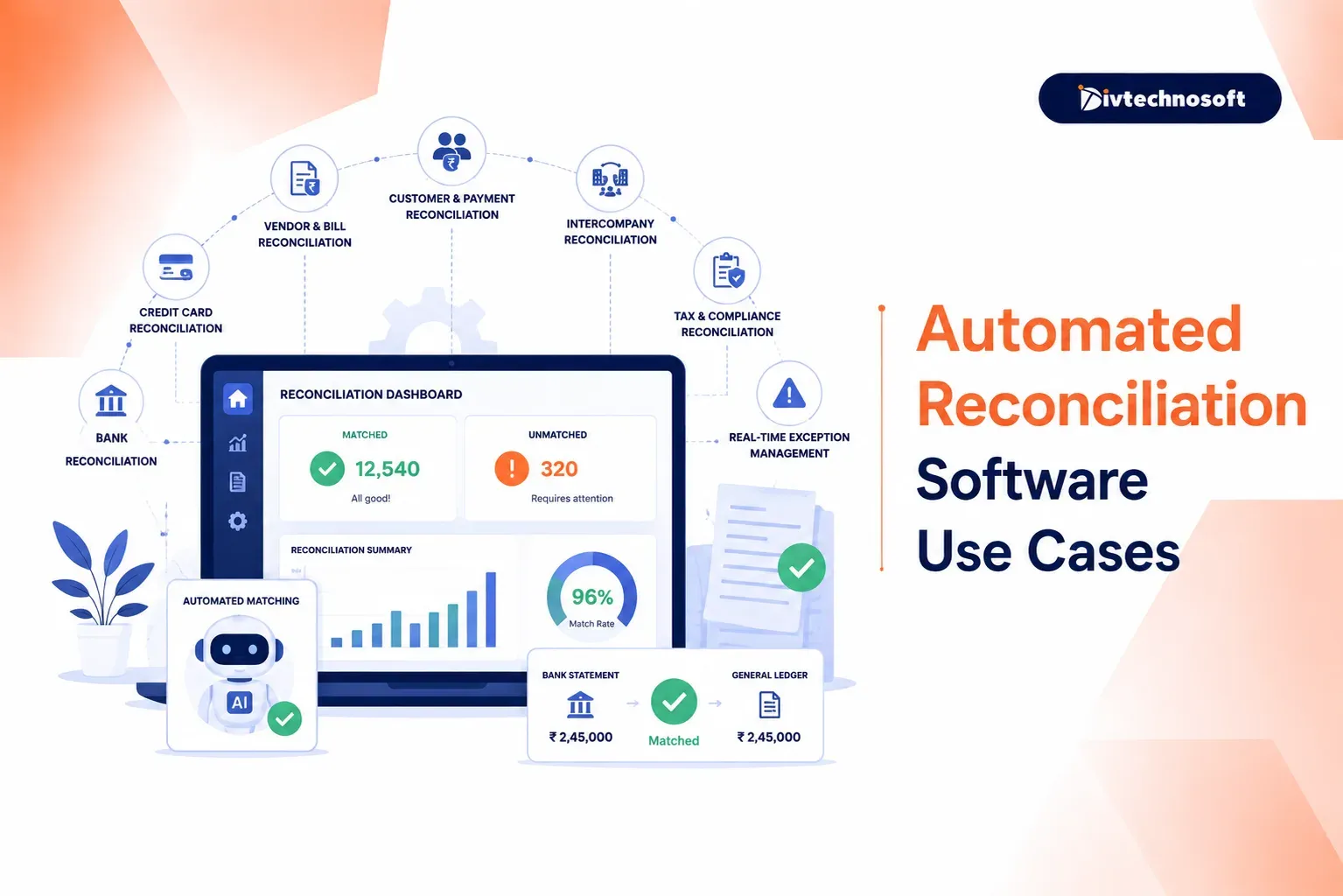
Matching bank statements to the ledger, chasing invoice mismatches, and rebuilding the same spreadsheets every close consume days that should go to analysis. This page walks through the reconciliation work worth automating first, how it fits your existing ERP, what implementation looks like, and how to tell whether a packaged tool or a custom build suits your operation. It is written for controllers, finance directors, and operations leaders, not developers.
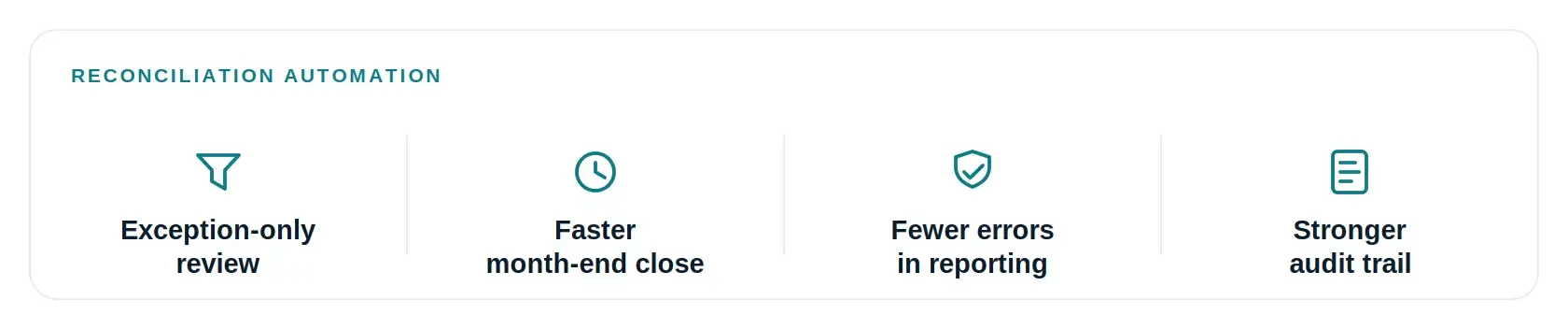
Automated reconciliation software connects to your financial sources, matches transactions against rules and AI, and leaves your team only the exceptions to review. The payoff is exception-only review instead of full-population review, a faster close, fewer errors reaching the statements, and a stronger audit trail. Reconciliation is one of the finance tasks best suited to this shift.McKinsey lists accounting reconciliations among the processes finance teams most commonly automate, and reports that teams adopting AI spend 20 to 30 percent less time on manual data work.
Why manual reconciliation breaks down as volume grows
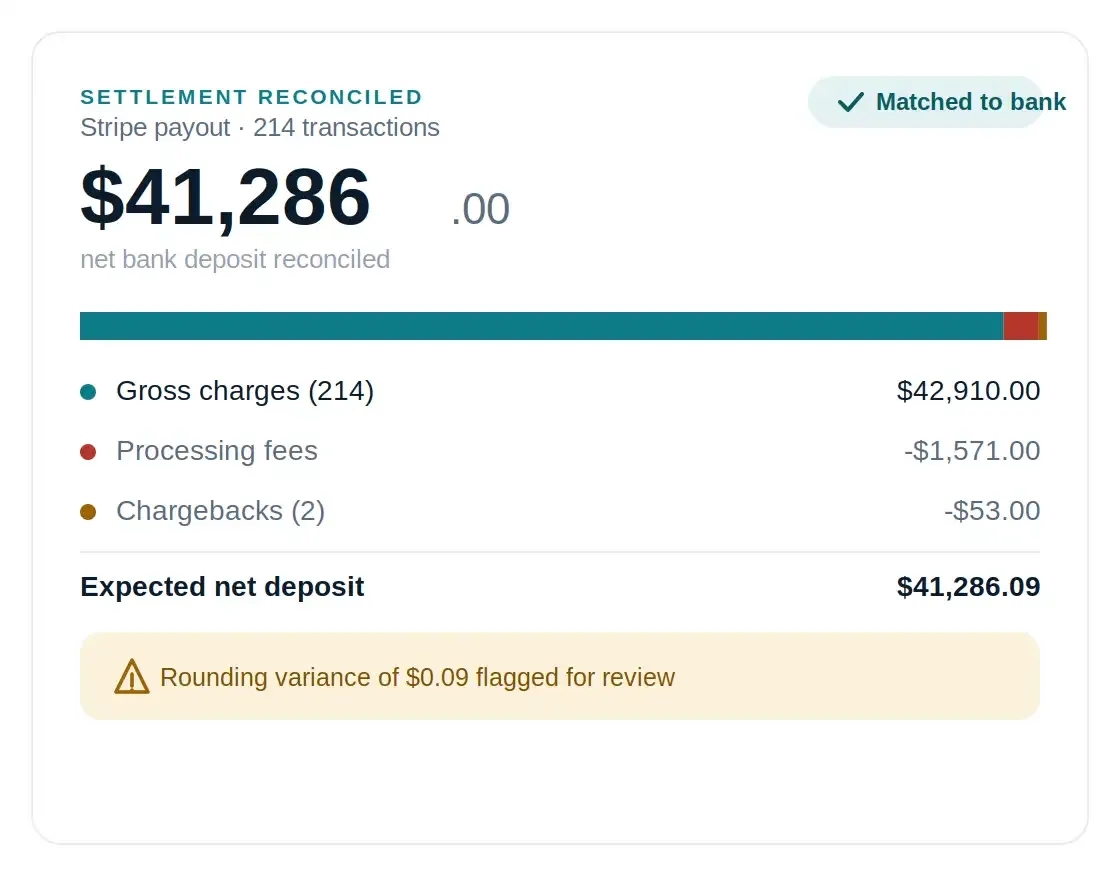
It is day three of close. An analyst is staring at a single bank deposit of $41,286 that has to tie against 214 gateway transactions, minus processing fees, minus two chargebacks that hit the same settlement. The spreadsheet has been open since Tuesday. Somewhere in those 214 lines is a nine-cent difference that will not let the account close.
Multiply that by every bank feed, gateway, marketplace payout, and intercompany transfer, and the cost becomes visible. The errors follow the workload. High-volume manual matching is exactly the kind of repetitive task that breeds mistakes under close-period pressure, and those mistakes flow straight into the statements.
The Compliance Stakes
For US companies, reconciliation is a control, not just hygiene. Sarbanes-Oxley requires documented, auditable processes over financial reporting, and GAAP depends on substantiated balances. A reconciliation that lives in one analyst's spreadsheet with no audit trail is an audit finding waiting to happen.
The stakes are rising. KPMG's 2025 analysis of non-IPO companies found that material weaknesses grew in 2024 and restatements hit a nine-year high. Slow, manual matching is where those errors tend to hide.
What financial reconciliation automation actually does
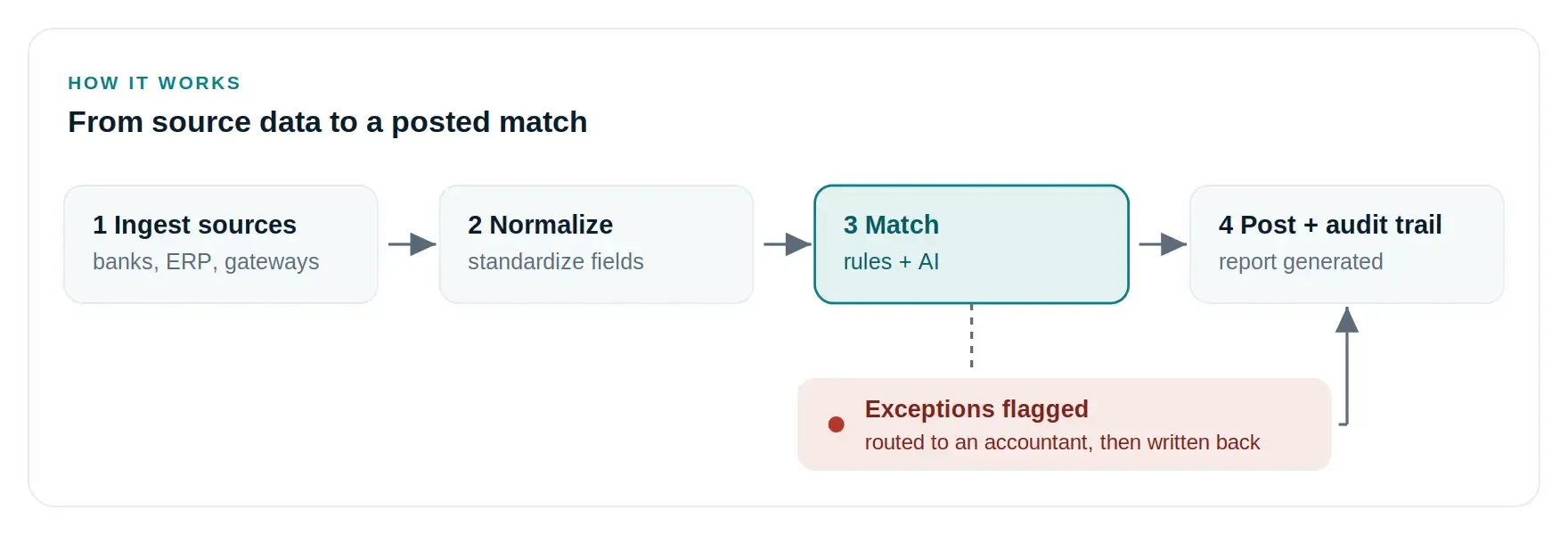
Automated reconciliation software ingests transactions from your sources, applies matching logic, and surfaces only the exceptions. Deterministic rules handle the predictable majority, matching on amount, date window, reference number, or invoice ID. That includes many-to-one cases, like a single deposit settling dozens of gateway transactions net of fees.
Rules break where data gets messy. A customer pays with no invoice reference. Remittance advice arrives as an email attachment. Descriptions differ between systems. This is where AI reconciliation earns its place. Machine learning models learn from how your team resolves exceptions, then apply that judgment going forward, which steadily raises the auto-match rate.
Automation does not remove accountants from reconciliation. It removes them from matching. Judgment calls, write-off approvals, and investigation of genuine discrepancies stay human, surfaced early instead of buried in row 4,000. This blend of deterministic rules and machine learning is the core of any AI workflow automation built for finance.
Six reconciliation use cases worth automating first
Reconciliation is not one job. The right setup depends on which accounts you are proving. These six are the usual starting points, roughly in the order most teams tackle them.
Use case | Sources matched | What automation catches |
|---|---|---|
Bank and cash | Bank feeds to general ledger | Timing gaps, bank fees, duplicate or fraudulent payments |
Payment gateway | Gateway payouts to sales and fees | Fees, refunds, chargebacks, short settlements |
AP invoice matching | POs, receipts, supplier invoices | Duplicates, price and quantity variances |
Order-to-cash | Incoming payments to open invoices | Partial payments, deductions, misapplied cash |
General ledger | Subledgers and source docs to GL | Unsupported balances, missing journal entries |
Intercompany | Entity-to-entity balances | Timing, currency, and elimination mismatches |
Bank and cash reconciliation
The classic starting point. Bank reconciliation software pulls daily feeds and matches them to the general ledger, so timing differences, bank fees, and returned items get flagged the day they appear rather than at month-end. Daily frequency also means duplicate payments and fraud surface within a day, not thirty.
Payment gateway and settlement reconciliation
Take the deposit above. Automation decomposes it: 214 gross charges of $42,910, less $1,571 in processing fees, less two chargebacks of $53, equals the $41,286 that landed. What held an analyst for two days resolves in seconds, and the nine-cent difference gets flagged with its cause attached. The same logic breaks down marketplace payouts from Amazon or app stores back to order level.
Accounts payable and invoice matching
Two-way and three-way matching of purchase orders, goods receipts, and supplier invoices. Duplicate invoices, price variances against the PO, and quantity mismatches get caught before payment goes out rather than after.
Order-to-cash and accounts receivable
The software matches incoming payments against open invoices, applies partial payments, and handles customer deductions. A single problem payment routes to the right person without stalling the rest of the queue, which keeps cash application moving.
General ledger and balance sheet reconciliation
General ledger reconciliation proves that GL balances are supported by subledgers and source documents across cash, receivables, payables, and accruals. Here the value is a structured workflow, journal-entry support, review sign-off, and an audit trail generated as the work happens.
Intercompany and multi-entity reconciliation
For groups with several entities, each subsidiary reconciles separately, then intercompany balances have to agree. Automation eliminates internal balances, converts currencies, and tracks variances, which heads off the disputes between subsidiaries that stall consolidation.
ERP reconciliation: fitting automation into your stack
ERP reconciliation only delivers value if it connects cleanly to where your data already lives. Modern ERPs like SAP S/4HANA, Oracle NetSuite, and Microsoft Dynamics 365 include features for straightforward bank-to-GL matching. They tend to fall short on multi-source matching, gateway settlements, and learning-based exception handling, which is where dedicated tools and custom builds compete.
Whichever path you take, insist on four things: API-based ingestion rather than manual file uploads, write-back of matched status to the ERP, a complete audit trail of every match and resolution, and approvals that map to your existing controls. Divtechnosoft's data automation service is built around connecting fragmented sources into one reliable flow before matching begins.
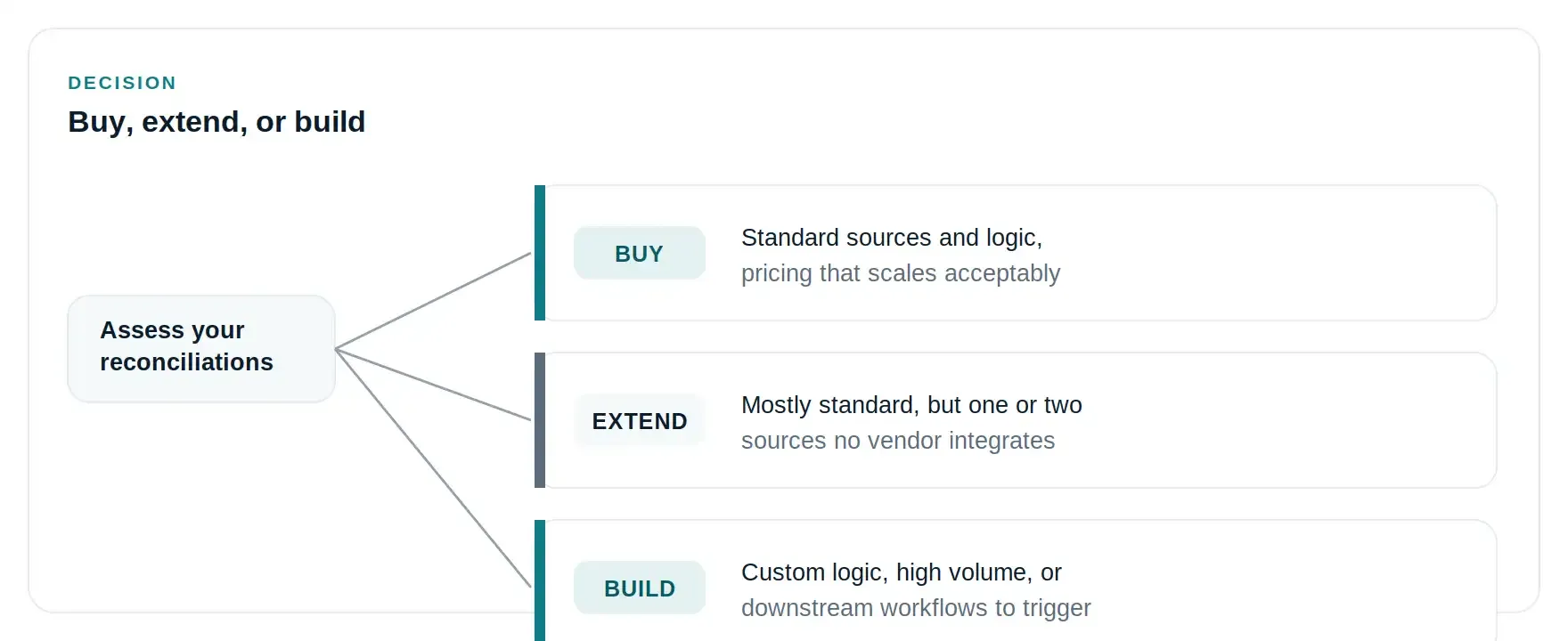
Buy, Extend, or Build: A Quick Check
Work down this list. The first line that describes you points at your answer.
Standard data sources, matching logic a vendor tool already supports, per-transaction pricing you can live with: buy the tool.
Mostly standard, but one or two sources no vendor integrates, such as a legacy ERP, a custom billing platform, or regional bank formats: extend a tool with custom integration.
Matching logic genuinely specific to your business, transaction volume that makes per-transaction fees scale badly, or reconciliation that needs to trigger downstream workflows like journal entry creation and dispute routing: a custom build pays for itself.
For that last case, Divtechnosoft handles the scoping and the build through itscustom software development work, fitting the matching to your accounts rather than a generic template, with full code ownership.
How implementation actually works
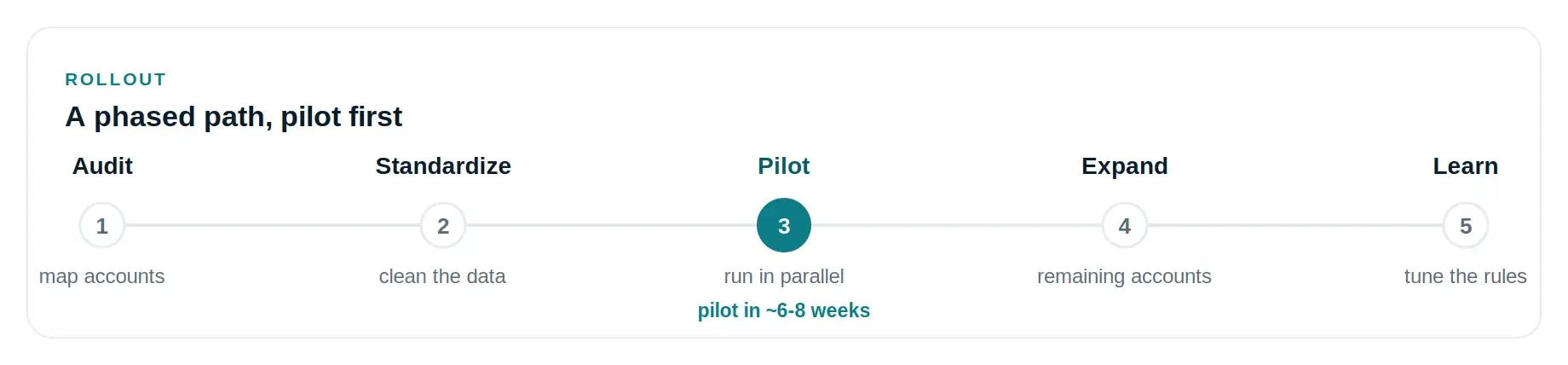
Reconciliation projects fail for predictable reasons: dirty historical data, matching logic that lives in one senior accountant's head, and trying to automate every account at once. A phased rollout avoids all three.
The process audit comes first. Document which accounts, which sources, current match rates, and where exceptions originate. This is where tribal knowledge gets written down, because the rules your senior accountant applies by instinct become the specification. Data standardization follows, mapping bank feeds, gateway reports, and ERP export fields before any logic is built.
Then the pilot, and this is where the project lives or dies. Pick the account that hurts most, usually the primary operating bank account or the main gateway, and run automated matching in parallel with the manual process for one or two full close cycles. Compare match rates and the exceptions each method caught, and let the team trust the output before anything manual gets switched off.
A pilot on a single high-volume account is a matter of weeks. Divtechnosoft builds this scale of working system in6 to 8 weeks, with code ownership from delivery. Once it holds up, expand to the remaining accounts and add learning-based matching for the exceptions rules cannot handle.
How to measure ROI without fooling yourself
Vendor pages quote dramatic percentages. Calculate the return for your own operation instead. On the cost side, count the hours your team spends on reconciliation per close at loaded cost, add the errors that reached reporting, and add the opportunity cost of a controller reviewing spreadsheets instead of doing analysis.
On the investment side, off-the-shelf tools carry subscription plus per-transaction fees, while custom builds shift the cost to a one-time build plus maintenance. That is why custom tends to favor businesses with high and growing volume.
Directionally, the gains come from exception-only review, earlier error detection, real-time visibility into cash, and a shorter close. Your specific numbers depend on your current match rate and volume, which is exactly what the process audit establishes before you commit.
FAQ
What is the difference between rules-based and AI reconciliation?
Rules-based matching applies fixed criteria such as amount, date, and reference number. AI reconciliation adds machine learning that handles inconsistent data and learns from how your team resolves exceptions. Effective systems use both: rules for the predictable majority, AI for the messy remainder.
Can reconciliation automation work with our existing ERP?
In most cases, yes. Modern ERPs expose APIs for transaction data and journal entries. Older or heavily customized systems may need a middleware layer, which is one of the situations where custom integration beats forcing an off-the-shelf tool to fit.
Does automated reconciliation replace our accounting team?
No. It replaces the matching work, not the judgment. The team shifts from reviewing every transaction to investigating exceptions, approving write-offs, and analyzing the discrepancies that matter.
How long does implementation take?
A pilot on a single high-volume account typically takes a few weeks once data access is in place. Full coverage across accounts and entities is a phased program over several months. The main variable is data quality, not software.
Is automation worth it for a smaller finance team?
It depends on transaction volume, not headcount. A three-person team processing thousands of gateway transactions monthly benefits more than a ten-person team with low volume. The ROI method above is the honest way to answer it for your situation.
Should we buy a reconciliation tool or build one?
Buy if a standard tool covers your sources and logic at a cost that scales. Build, or extend with custom integration, when your sources, logic, or volume make standard tools a poor fit. The decision should come out of a process audit, not a sales call.
Talk through your reconciliation process
If reconciliation is eating your close, the useful first step is small. A walkthrough of your current process shows which accounts are worth automating and whether an existing tool or a custom build fits better. If a standard tool is the right answer for you, we will say so.
Request a Reconciliation Process Review, and we will review your accounts, sources, and match rates before recommending anything.